
Diwali is a wonderful time to share festive photographs with friends, family, and followers. Traditional outfits, glowing diyas, colorful rangoli, and beautifully decorated homes provide plenty of inspiration for creative social media posts.
If you want to give your festive photographs a fresh look, Diwali special Gemini AI photo editing prompts 2026 for Instagram can help you explore different styles. You can experiment with traditional portraits, fashion photography, romantic couple images, and warm Diwali night scenes using detailed text instructions.
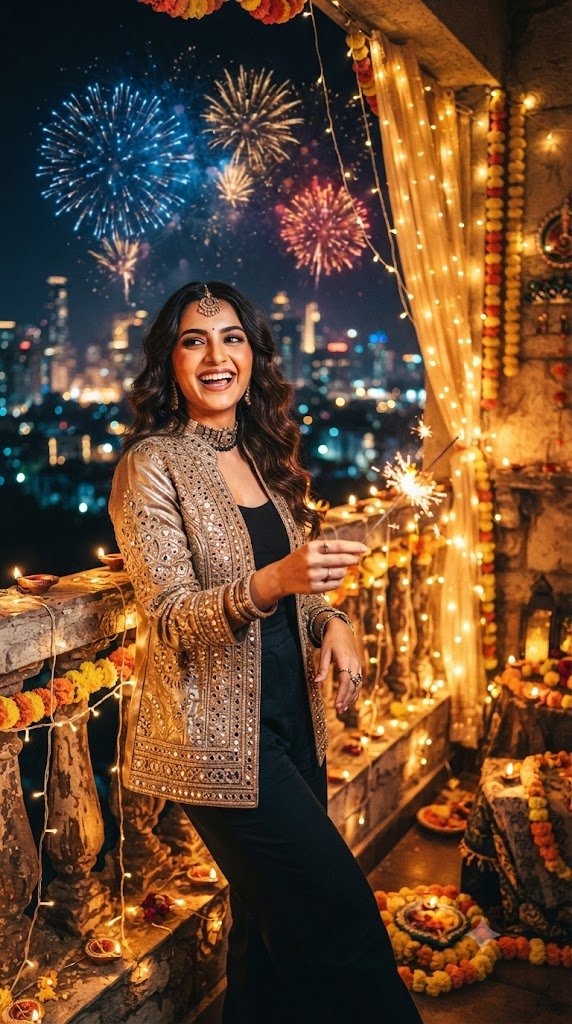
Google Gemini’s image-generation and image-editing features may support these tasks depending on your account and current feature availability. By describing the subject, outfit, background, and lighting, you can communicate the look you want to create.
This guide includes 10 Instagram-friendly Diwali prompts, practical tips for image quality, and answers to common questions.
Why Use Gemini AI for Diwali Instagram Photos?
Instagram photographs often benefit from a clear subject, balanced lighting, and a composition that looks good on a mobile screen. AI-assisted editing gives you another way to experiment with festive backgrounds and outfit styles.
For example, you can create a traditional portrait surrounded by glowing diyas, a close-up photograph with warm fairy lights, or a full-length image featuring a colourful rangoli.
The goal is not simply to add more effects. A well-composed image with natural lighting and realistic details can look more polished than a photograph filled with unnecessary decorations.
How to Create Diwali Photos for Instagram With Gemini AI
Follow these steps to try the prompts in this article.
- Open Google Gemini and sign in.
- Select an available image-generation or image-editing feature.
- Upload a reference photo if you want to edit an existing image and uploads are supported.
- Copy one of the prompts below.
- Paste the prompt and customize the outfit, background, and lighting.
- Review the result and request corrections if needed.
- Save the image and crop it appropriately for your Instagram post.
For Instagram Stories or Reels covers, a vertical composition may be useful. For a regular feed post, choose a suitable aspect ratio and check the crop before publishing.
10 Diwali Special Gemini AI Photo Editing Prompts for Instagram
1. Instagram-Ready Traditional Diwali Portrait
Prompt:
"Edit the uploaded reference photo into a realistic Diwali 2026 portrait suitable for Instagram. Dress the person in elegant traditional Indian clothing and place them in a decorated home with clay diyas, marigold garlands, and a colourful rangoli. Use warm golden lighting, natural skin texture, realistic fabric details, and a clear portrait composition. Preserve the person's recognizable facial features as closely as possible. Leave enough space around the subject for flexible cropping."This prompt creates a versatile traditional portrait suitable for a festive social media post.
2. Viral-Style Diwali Fashion Portrait
Prompt:
"Create a polished festive fashion photograph based on the reference image. Dress the person in an elegant Indian outfit with realistic embroidery, natural fabric folds, and tasteful accessories. Set the scene against a beautifully decorated background with warm fairy lights and traditional lamps. Use professional portrait photography, balanced colours, and natural skin texture. Preserve the original facial features and avoid exaggerated beauty filters."This prompt is useful for a fashion-focused festive post.
3. Diwali Selfie-Style Portrait
Prompt:
"Create a realistic selfie-style Diwali portrait based on the uploaded reference photo. Show the person wearing traditional festive clothing in a warm indoor setting decorated with small diyas and fairy lights. Use natural facial proportions, realistic skin texture, soft lighting, and a relaxed expression. Keep the composition similar to a genuine smartphone portrait and preserve the person's recognizable appearance as closely as possible."This prompt is designed for people who prefer casual-looking photographs rather than formal portraits.
4. Diwali Couple Instagram Portrait
Prompt:
"Create a photorealistic Diwali couple portrait using the reference images, if supported. Dress the couple in coordinated traditional Indian outfits and place them in a festive setting with glowing diyas, flowers, and warm decorative lights. Use natural expressions, comfortable poses, and professional portrait photography. Preserve both people's recognizable facial features as closely as possible. Use a vertical composition suitable for a social media post."This prompt works well for couples who want a coordinated festive image.
5. Diwali Night Portrait With Golden Bokeh
Prompt:
"Transform the reference photo into a realistic Diwali night portrait with warm golden bokeh in the background. Dress the person in traditional Indian festive clothing and place them near a row of glowing diyas and decorative lights. Use balanced low-light photography, realistic shadows, and natural skin tones. Keep the face sharp and clearly visible. Preserve the person's recognizable facial features and avoid excessive artificial glow."The soft background lights create visual interest while keeping the person as the main subject.
6. Diwali Saree Look for Instagram
Prompt:
"Create a realistic festive fashion portrait of the person in the reference photo wearing an elegant Indian saree. Include natural pleats, detailed fabric texture, tasteful jewellery, and a neatly arranged pallu. Place the subject in a decorated home with warm lights, brass lamps, and flowers. Use professional portrait photography and natural colours. Preserve the original face and create a vertical composition suitable for Instagram."This prompt is useful for a traditional fashion post.
7. Stylish Diwali Kurta Portrait
Prompt:
"Create a photorealistic Diwali portrait of the person in the uploaded image wearing a stylish traditional Indian kurta. Use realistic fabric details, subtle embroidery, and natural body proportions. Set the scene in a decorated courtyard with marigold garlands, clay diyas, and warm lights. Use a relaxed pose, balanced lighting, and natural skin texture. Preserve the person's recognizable facial features as closely as possible."This style is suitable for a clean and elegant festive post.
8. Diwali Rangoli Portrait
Prompt:
"Create a realistic Diwali photograph featuring the person in the reference image standing beside a colourful rangoli surrounded by clay diyas and flower petals. Dress the person in traditional festive clothing. Use warm natural lighting, detailed textures, and a balanced composition that shows both the person and the rangoli. Preserve the original face and natural body proportions. Keep the background festive but uncluttered."This prompt makes the rangoli a central feature of the photograph.
9. Cinematic Diwali Instagram Photo
Prompt:
"Create a cinematic yet realistic Diwali portrait using the uploaded reference image. Place the person in a traditional Indian courtyard with warm golden lights, glowing diyas, and subtle floral decorations. Use balanced highlights, natural shadows, realistic skin texture, and professional portrait photography. Preserve the person's recognizable facial features and natural proportions. Compose the image vertically with enough space for a clean social media crop."This style is suitable for users who like dramatic photography without an artificial appearance.
10. Minimalist Festive Instagram Portrait
Prompt:
"Create a clean and realistic Diwali portrait of the person in the reference photo. Dress them in traditional Indian clothing and use a simple background with a few clay diyas and fresh flowers. Apply soft warm lighting, natural skin texture, and realistic colours. Keep the composition uncluttered and focus attention on the person. Preserve the original facial features as closely as possible and avoid excessive filters."A minimalist style is a good choice when you want a simple image that remains clear on a small screen.
Tips for Better Diwali Instagram Photos
Choose the Correct Image Ratio
Consider where you plan to publish the photograph. A vertical composition can suit Stories and Reels covers, while a carefully cropped portrait can work well in the feed.
Keep the Main Subject Visible
Avoid placing too many decorations around the face. A clean background and clear subject can make the photograph easier to view.
Use Natural Colours
Warm gold, red, white, green, and other festive shades can complement Diwali decorations. Choose a balanced palette rather than asking for every colour at once.
Make the Prompt Specific
Describe the clothing, pose, lighting, and background. Clear instructions make it easier to communicate your preferred result.
Review the Image Before Posting
Check facial features, hands, jewellery, clothing, and background details. AI tools can produce visual errors, so do not assume that every generated image is accurate.
Write an Appropriate Caption
A short festive caption can complement the image. For example, you might write, “Celebrating the festival of lights with warmth, happiness, and beautiful memories.”
Frequently Asked Questions
Can I use Gemini AI for Diwali Instagram photos?
You can try the available Gemini image-generation and editing features to create festive images. Access and results may vary.
Which Diwali photo style is suitable for Instagram?
Traditional portraits, festive fashion photographs, diya close-ups, and couple portraits are all suitable options. Choose a style that matches your account and personal preferences.
How can I make my AI photo look less artificial?
Use natural lighting, realistic clothing descriptions, simple backgrounds, and believable poses. Avoid excessive glow, heavy retouching, and too many competing effects.
Can I use my own face in a Gemini AI photo?
You can upload a reference photo if the image-editing feature supports it. Ask the tool to preserve your recognizable facial features, but review the result because changes may still occur.
Can I use AI-edited Diwali photos commercially?
Commercial use depends on the applicable service terms, image rights, and the content of the generated image. Review the relevant terms before using an image for advertising or other commercial purposes.
Conclusion
These Diwali special Gemini AI photo editing prompts 2026 for Instagram provide ideas for traditional portraits, festive fashion, couple photography, and cinematic night scenes.
Choose the prompt that matches your style, customize the details, and review the finished image before posting. A clear composition, natural lighting, and realistic details can help your festive photographs look polished without relying on excessive effects.